

100-genuine

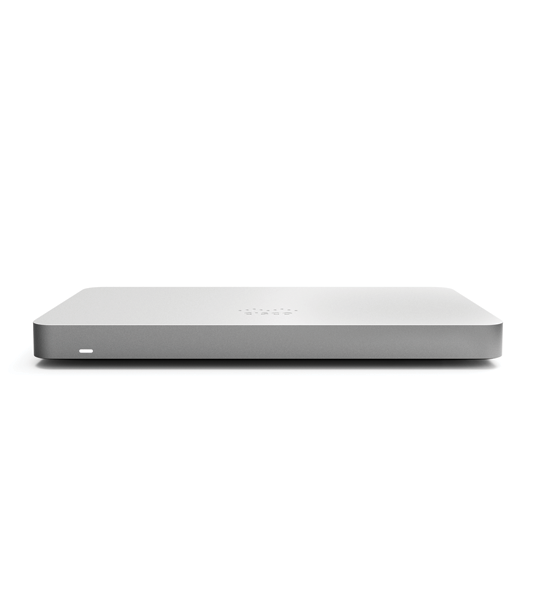
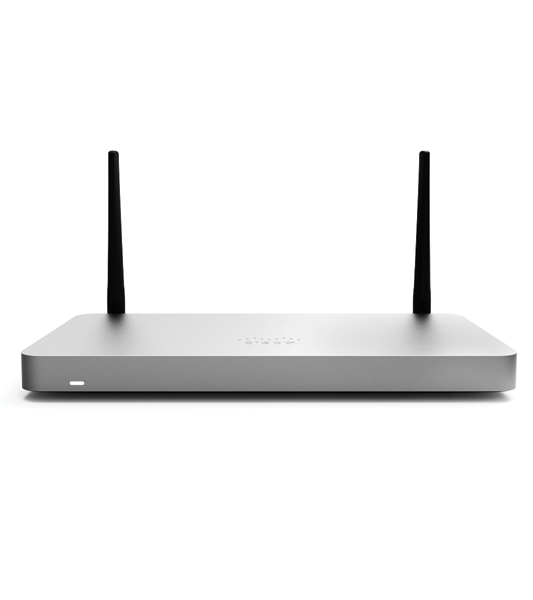
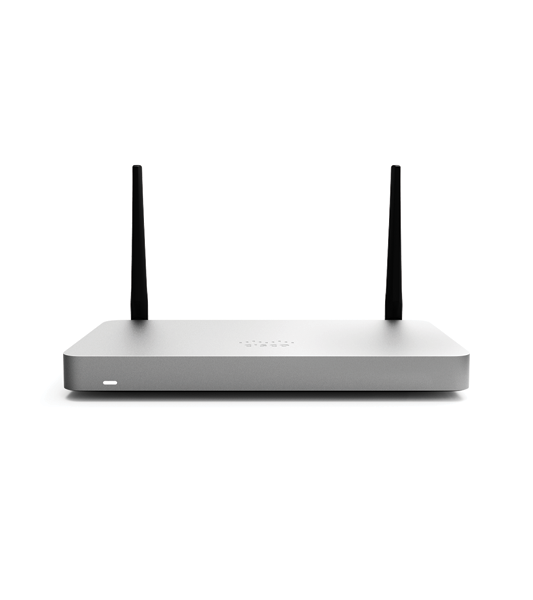
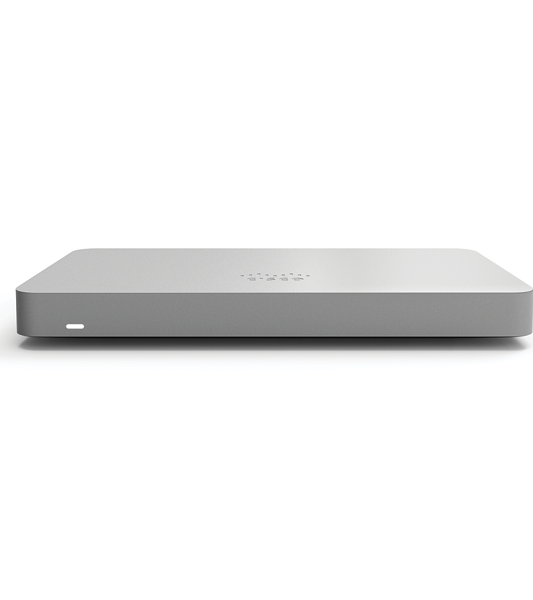
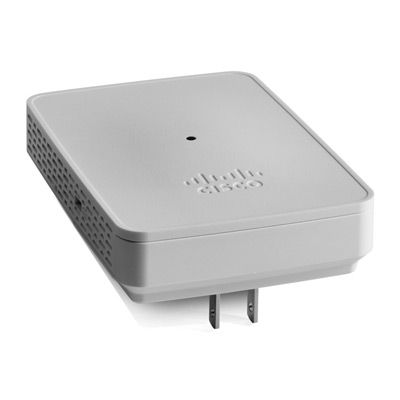
CBW143ACM 802.11ac 2×2 Wave 2 Mesh Extender Wall Mount CBW143ACM-E-UK

SKU: CBW143ACM-E-UK
CBW143ACM-E is a wireless mesh extender that is simple to install and expands existing wireless coverage. As a result, it’s ideal for a small business or office setting. The Cisco Business Mobile app is used to manage the CBW143ACM-E Mesh Extenders. In summary, it is a user-friendly client application that simplifies traditional wireless network deployment challenges directly from your mobile device. By adding new mesh extenders and automating wireless network activation in minutes, you can expand your network. A robust management capability changes network configuration dynamically, such as enabling guest access. Network usage, traffic patterns, and network throughput can all be closely monitored in real time. Thus, not only does it provide peace of mind, but it also virtually guarantees an optimal user experience.

Support from Our Knowledge Hub

Ask us anything!

Tel: +971 4352 24 33

Description

Short Description

  1. IMPORTANT: The Cisco Business mesh extenders only work with Cisco Business Wireless 100 series and 200 series access points (CBW140AC-B, CBW240AC-B, and CBW145AC-B)
  2. FLEXIBLE: Mix and match Cisco Business Wireless access points and these MU-MIMO (2×2) mesh extenders to increase your Wi-Fi coverage
  3. QUICK SET UP: Scan a QR code with Cisco Business Mobile app and power on the device. No additional steps required
  4. DEPLOYMENT: Simple wall mount powered by AC power adapter (Included)

Features and benefits

MU-MIMO

Multi-user (MU) Multiple-Input Multiple-Output (MU-MIMO) allows simultaneous data transmission to multiple 802.11ac Wave 2–capable clients to improve the client experience.

Mesh technology support

Mix and match Cisco Business mesh extenders or access points to increase WiFi coverage throughout your business.

Two-step setup

Simplified deployment with two-step setup: Scan a QR code via the Cisco Business Mobile app, and power on the device. No additional setup is required.

Requirements

Requires a Cisco Business access point within the network for mesh connectivity

Authentication and security

Wi-Fi Protected Access 2 and 3 (WPA2 and WPA3)
802.1X, RADIUS authentication, authorization, and accounting (AAA)
802.11r and 802.11i

Maximum clients
Maximum number of associated wireless clients: 200 per Wi-Fi radio, for a total of 400 clients per access point

802.11ac

2×2 MU-MIMO with two spatial streams, up to 867 Mbps
20-, 40-, and 80-MHz channels
Dynamic Frequency Selection (DFS)

Data rates supported

802.11a: 6, 9, 12, 18, 24, 36, 48, and 54 Mbps
802.11b/g: 1, 2, 5.5, 6, 9, 11, 12, 18, 24, 36, 48, 5 and 4 Mbps
802.11n data rates on 2.4 GHz: 6.5 to 144 Mbps (MCS0-MCS15)
802.11ac data rates on 5 GHz: 6.5 to 867 Mbps (MCS0-MCS9)

Quick Spec

Brand : Cisco
Product Dimensions: ‎8.5 x 11.9 x 2.4 cm; 350 Grams
Item model number: ‎CBW143ACM-E-UK
Manufacturer: CISCO SYSTEMS – ENTERPRISE
Wireless Type: 802.11ac
Operating System: ‎Cisco IOS
Item Weight: ‎350 g

Reviews

There are no reviews yet.

Be the first to review “CBW143ACM 802.11ac 2×2 Wave 2 Mesh Extender Wall Mount CBW143ACM-E-UK”

Your email address will not be published. Required fields are marked *

Short Description

  1. IMPORTANT: The Cisco Business mesh extenders only work with Cisco Business Wireless 100 series and 200 series access points (CBW140AC-B, CBW240AC-B, and CBW145AC-B)
  2. FLEXIBLE: Mix and match Cisco Business Wireless access points and these MU-MIMO (2×2) mesh extenders to increase your Wi-Fi coverage
  3. QUICK SET UP: Scan a QR code with Cisco Business Mobile app and power on the device. No additional steps required
  4. DEPLOYMENT: Simple wall mount powered by AC power adapter (Included)

Features and benefits

MU-MIMO

Multi-user (MU) Multiple-Input Multiple-Output (MU-MIMO) allows simultaneous data transmission to multiple 802.11ac Wave 2–capable clients to improve the client experience.

Mesh technology support

Mix and match Cisco Business mesh extenders or access points to increase WiFi coverage throughout your business.

Two-step setup

Simplified deployment with two-step setup: Scan a QR code via the Cisco Business Mobile app, and power on the device. No additional setup is required.

Requirements

Requires a Cisco Business access point within the network for mesh connectivity

Authentication and security

Wi-Fi Protected Access 2 and 3 (WPA2 and WPA3)
802.1X, RADIUS authentication, authorization, and accounting (AAA)
802.11r and 802.11i

Maximum clients
Maximum number of associated wireless clients: 200 per Wi-Fi radio, for a total of 400 clients per access point

802.11ac

2×2 MU-MIMO with two spatial streams, up to 867 Mbps
20-, 40-, and 80-MHz channels
Dynamic Frequency Selection (DFS)

Data rates supported

802.11a: 6, 9, 12, 18, 24, 36, 48, and 54 Mbps
802.11b/g: 1, 2, 5.5, 6, 9, 11, 12, 18, 24, 36, 48, 5 and 4 Mbps
802.11n data rates on 2.4 GHz: 6.5 to 144 Mbps (MCS0-MCS15)
802.11ac data rates on 5 GHz: 6.5 to 867 Mbps (MCS0-MCS9)

Quick Spec

Brand : Cisco
Product Dimensions: ‎8.5 x 11.9 x 2.4 cm; 350 Grams
Item model number: ‎CBW143ACM-E-UK
Manufacturer: CISCO SYSTEMS – ENTERPRISE
Wireless Type: 802.11ac
Operating System: ‎Cisco IOS
Item Weight: ‎350 g

Related Products

Customer Reviews

5/5

“A review from a customer who benefited from your product. Reviews can be a highly effective way of establishing credibility and increasing your company's reputation.”

5/5

“A review from a customer who benefited from your product. Reviews can be a highly effective way of establishing credibility and increasing your company's reputation.”